Timeline
Use the timeline command to display events or metrics in chronological order for time-based analysis.
Usage: <field> | timeline <field>
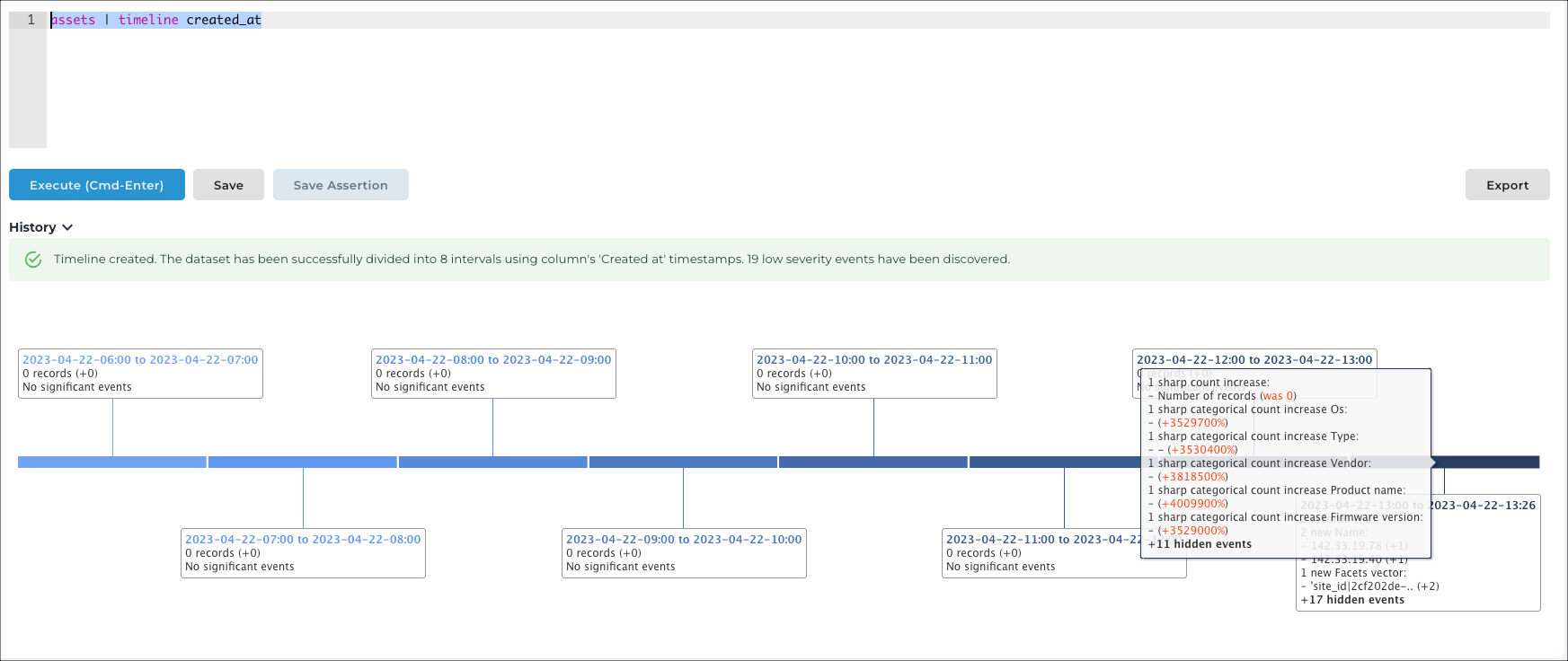
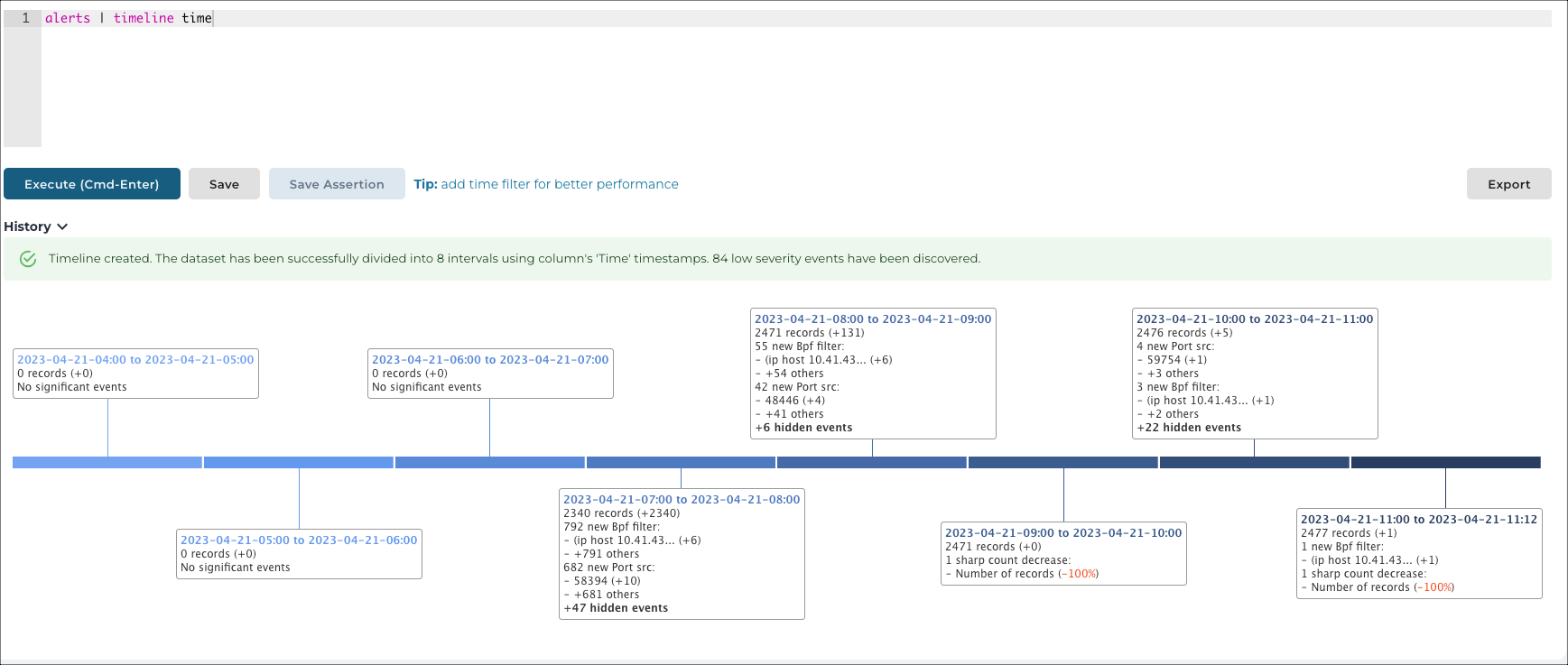
Description: Displays the most significant events for the given dataset as time moves forward.
Example: alerts | timeline time
Example: assets | timeline created_at