
Overview
The Overview page provides insights into security alerts, risk levels, and alert trends.
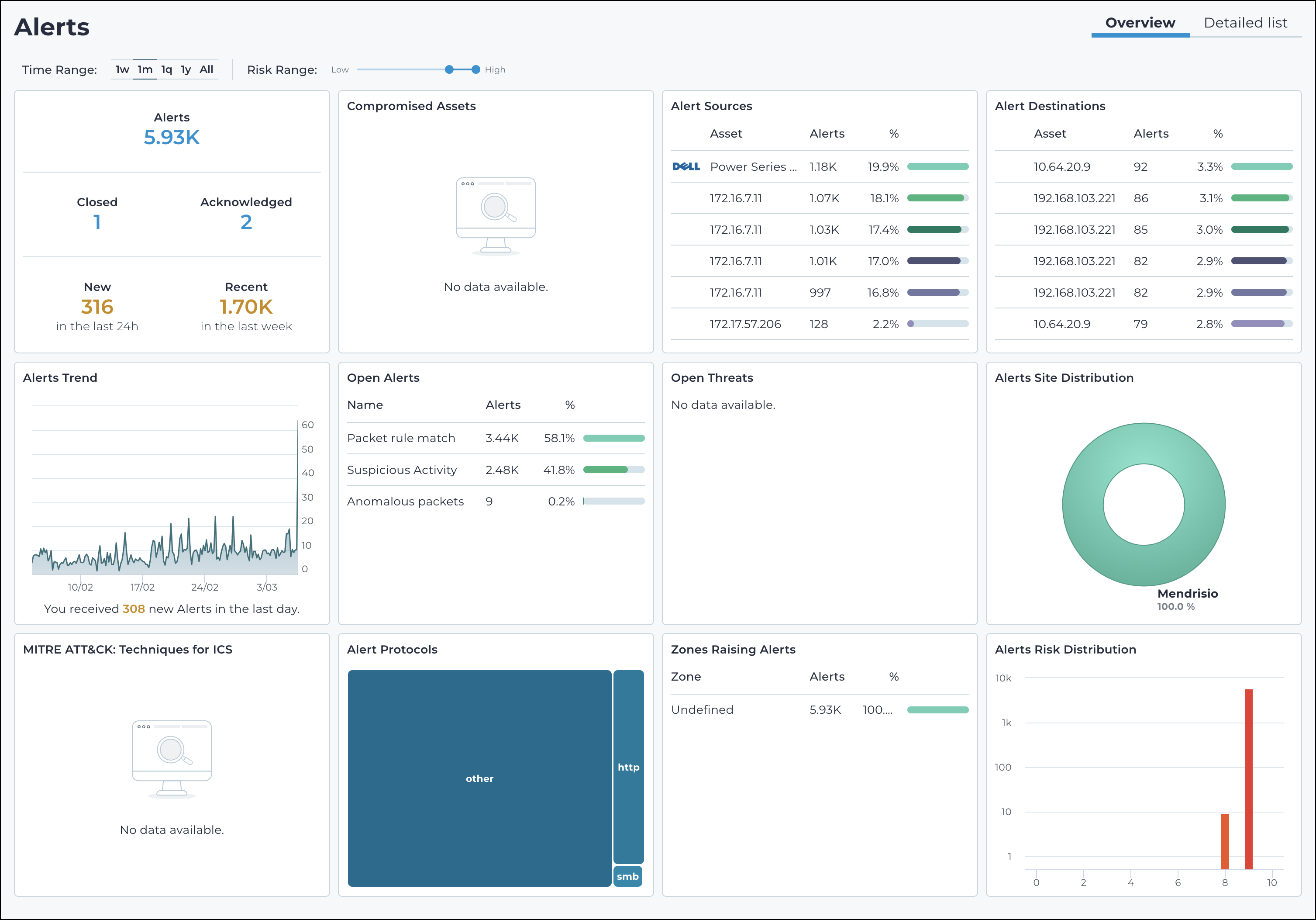
Time Range
Allows users to filter alerts based on different time periods, such as:
- 1w (week)
- 1m (month)
- 1q (quarter)
- 1y (year)
- All
Risk Range
You can adjust the slider to filter alerts based on severity, from low to high.
Alerts
Shows the total number of security alerts, in these categories:
- Closed
- Acknowledged
- New
- Recent
Compromised Assets
Lists assets that have been flagged as compromised based on detected threats.
Alert Sources
Lists the origin of alerts, including affected devices and IP addresses.
Alert Protocols
Lists the types of network protocols associated with the detected alerts.
Alerts Trend
Shows a graphical representation of alerts over time, helping users analyze security trends.
Open Alerts
Lists a breakdown of open alerts by category.
Open Threats
Lists active security threats detected within the system.
Alerts Site Distribution
Shows the distribution of alerts by site or geographical region.
MITRE ATT&CK: Techniques for ICS
Provides security threat analysis using the MITRE ATT&CK framework, specifically for industrial control systems (ICS).
Alert Protocols
Shows the network protocols associated with detected alerts.
Zones Raising Alerts
Shows which network zones are generating security alerts and their respective alert counts.
Alerts Risk Distribution
Shows the severity of alerts using a risk distribution graph.