
Upstream
Configure and verify the connection between the Arc sensor and an upstream endpoint using an IP address and authentication token. The page also displays the sensor ID and optional certificate validation settings.
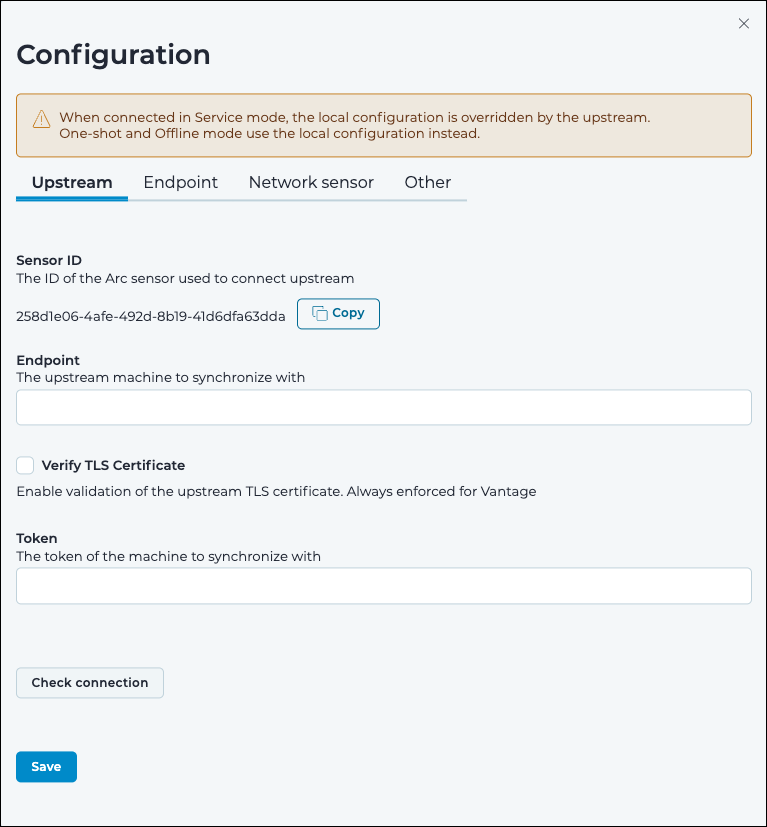
Sensor ID
This is the identifier (ID) of the Arc sensor that is used to connect to the upstream sensor.
Endpoint
This shows the internet protocol (IP) address of the upstream machine that the sensor is connected to.
Verify TLS Certificate
Select this option to enforce verification of the upstream transport layer security (TLS) certificate when connecting to Guardian. When using Vantage, TLS certificate validation is always enforced, regardless of this setting.
Token
The token Arc needs to authenticate to the Guardian/Vantage endpoint.
Check connection
This button checks if the connection parameters are correct.