
Open the IQ summary drawer
Open the IQ summary drawer to see a detailed breakdown of all IQ summaries for the current page and start an assistant conversation in context.
About this task
Procedure
-
Navigate to a page that shows the IQ summaries bar, such as the
Sensors page.
The IQ summaries bar appears at the top of the page.
-
Select See more... in the IQ summaries bar.
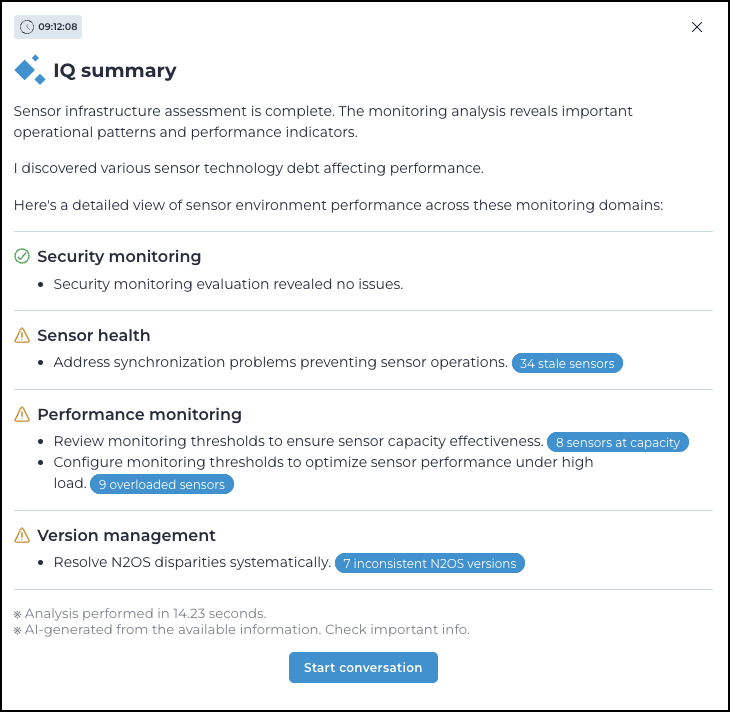
The summary drawer opens and shows a detailed breakdown of the IQ summaries for the current page.
-
Select a blue button in the drawer to open the related table with the
applicable filter active.
The summary drawer closes and the related table opens with the applicable filter active.
- Optional:
Select Start conversation in the
drawer.
The Assistant page opens with a prefilled conversation thread based on the current page context.