
Assistant
The Assistant page lets you ask questions about your environment. The Vantage IQ assistant uses artificial intelligence (AI) that is connected to your Vantage instance.
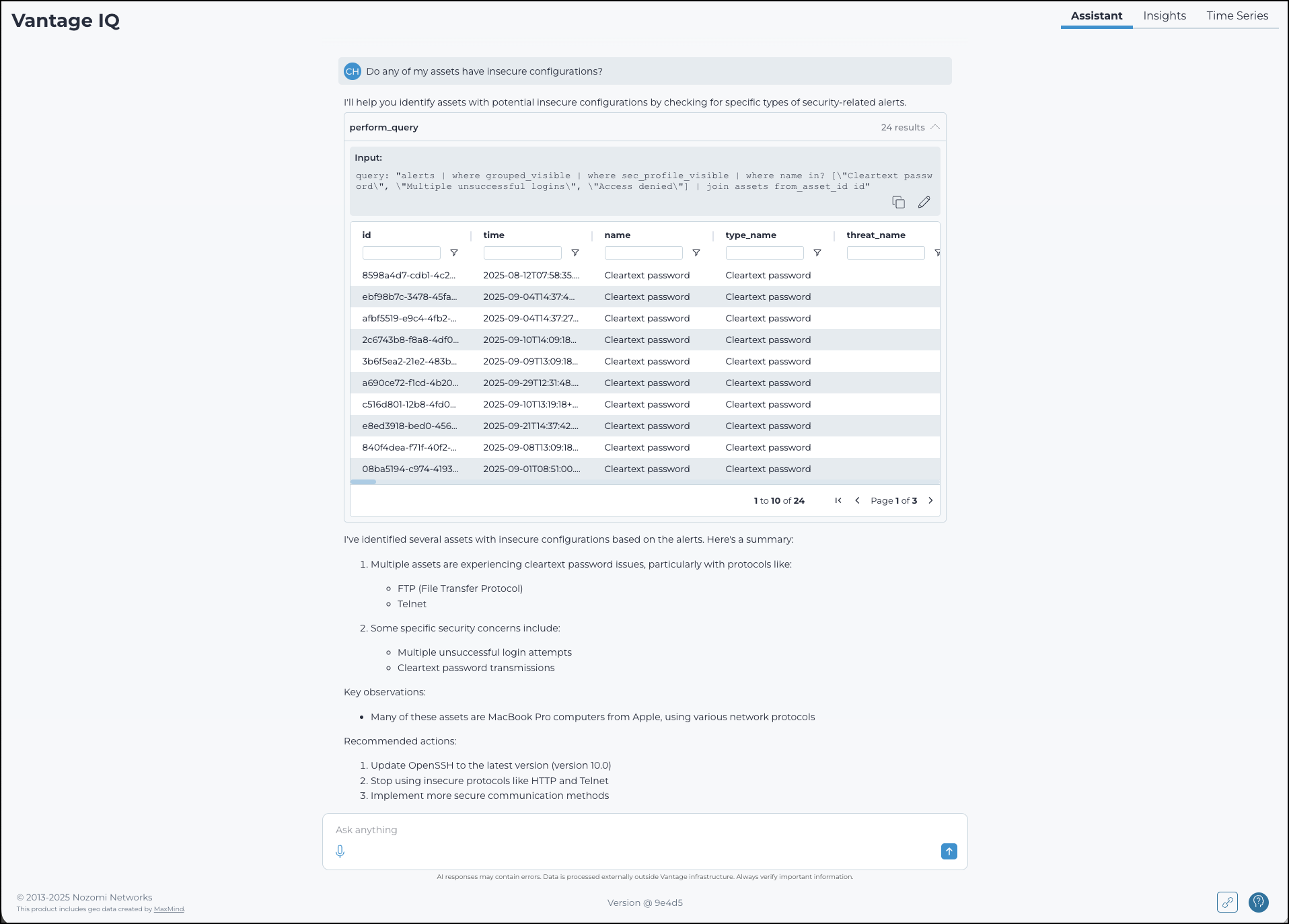
The assistant lets you query your Vantage instance using natural language. It connects to your Vantage data in real time and returns results as tables, charts, or summaries depending on the query.
Chats
Each session in the assistant is a chat. The assistant saves chats automatically so you can return to them later. You can:
- Start a new chat from the assistant page
- View and reopen previous chats using Search chats
- Rename a chat to make it easier to find
- Delete a chat when it is no longer needed
The assistant generates chat titles automatically based on your first query. You can rename a chat at any time.
Response controls
Each assistant response includes three icons:
 copies the response text to the
clipboard
copies the response text to the
clipboard marks the response as
useful
marks the response as
useful marks the response as
not useful
marks the response as
not useful
Use the thumbs up and thumbs down icons to rate responses and help improve result quality.
Follow-ups
When available, the assistant shows a set of suggested follow-up questions under Follow-ups. Select a suggested question to send it as your next query.
Data processing and privacy
Some assistant features rely on external processing of your prompts. You can disable external processing from the Features page. If you disable it, some assistant features will not be available.
When the assistant uses external processing:
- Nozomi Networks completely anonymizes your data before sending it for processing
- Nozomi Networks has a no-retention policy with its third-party processors. The third-party processor processes but never stores your data