
General
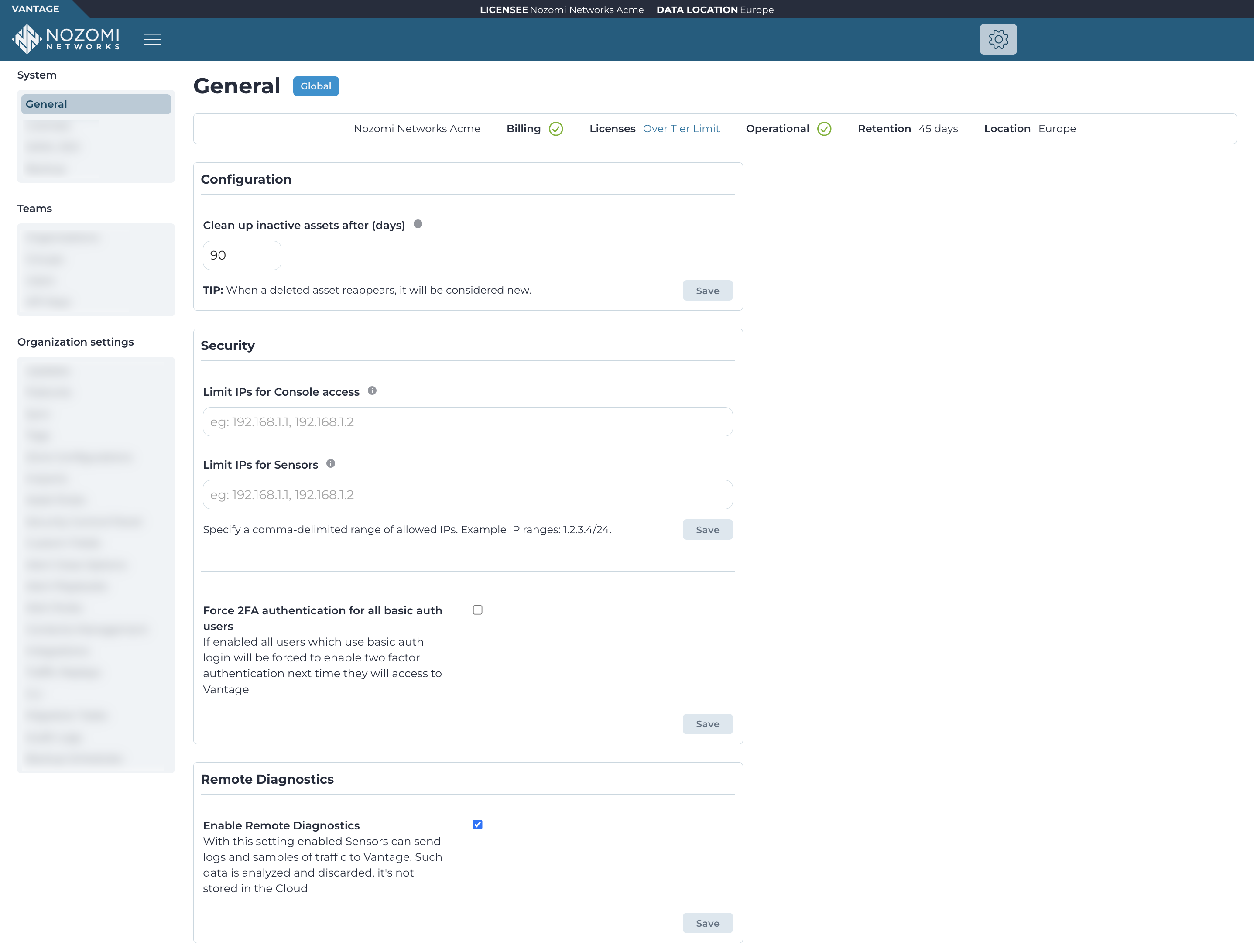
The General page shows a system summary of information for items such as, your company name, license status, billing information, and details about data storage.
Status
- Billing
- Licenses
- Operational
- Retention
- Location
Configuration
The Configuration section lets you clean up inactive assets after a set number of days.
Default organization
The Default organization section lets you set the organization that new users are directed to at first login. Select an organization from the Default organization dropdown. To remove the default, clear the selection.
Security
- Allowed internet protocol (IP) addresses that have console access
- Allowed sensors
For these settings, you must use comma-delimited entries, in classless inter-domain routing (CIDR) format.
Auto logout settings
- Auto logout enabled: Enable or disable automatic logout for inactive users
- Auto logout timeout: Set the inactivity period before automatic logout occurs
Admin and root users can disable this behavior with the Auto logout enabled toggle.
User lockout settings
- User lockout enabled: Enable or disable automatic user account lockout for inactivity
- User lockout timeout: Set the number of days of inactivity before a user account is locked (30, 60, or 90 days)
- Allow lock after inactivity: Allow the user account to be automatically locked due to inactivity
- Prevent inactivity lock: Prevent the user account from being automatically locked due to inactivity
- Unlock user (inactivity): Unlock user accounts that have been locked due to inactivity
When you disable this setting, users retain access to Vantage and these actions are not available.
Failed login protection settings
The Failed login protection settings section lets you automatically lock user accounts after a set number of consecutive failed login attempts.
Max failed login attempts: Number of consecutive failed login attempts before the account is locked. The minimum value is 3.
Password expiration settings
- Password expiration enabled: Enable or disable the password change requirement
- Password expiration days: Number of days before a password expires. The minimum value is 90 days.
Admin and root users can disable this behavior with the Password expiration settings toggle.
Password history settings
The Password history settings section prevents users from reusing their most recently used passwords.
Password history enabled: Enable or disable password history.
Password history lookup: Number of previously used passwords that cannot be reused. The minimum value is 1, and the maximum value is 50.
Admin and root users can disable this behavior with the Password history settings toggle.
Remote diagnostics
The Remote diagnostics section lets you enable remote diagnostics for your Vantage instance, which allows Nozomi Networks support to access diagnostic information for troubleshooting purposes.