
Dependencies
The Dependencies page shows the dependencies that the connected Arc sensors can use, and lets you manage their dependency files and apply actions to multiple sensors at once.
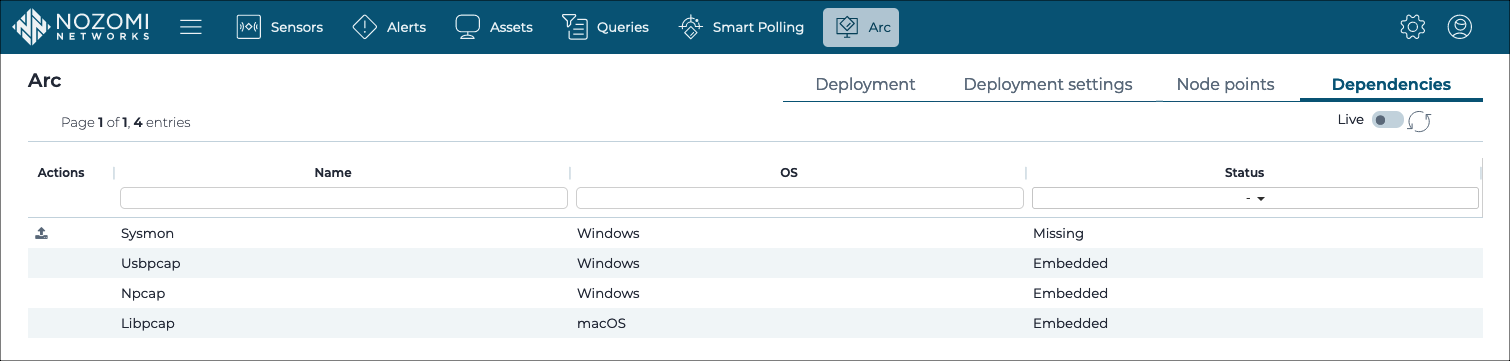
The table shows one row for each dependency that Arc sensors can use on the appliance.
You can use the filter under each column header to narrow the list. The table has
these columns:
- Name: The dependency's name. Some dependencies also show an information icon with more details, an external link to more information, or both
- Description: Why the dependency is needed
- Source: Where the dependency file comes from
- Type: Software for dependencies that are installed on the sensor, or Setting for dependencies that are enabled or disabled on the sensor
- OS: The operating system that the dependency applies to
- Available version: The version of the dependency file that is available. Some dependencies show latest instead of a version number, and a dash (-) shows when no version is available
The Source column shows one of these values:
- Embedded: The dependency ships with Arc
- Synchronized: The dependency file is synchronized from the upstream appliance
- Uploaded: The dependency file is uploaded on this appliance
- Missing: No dependency file is held for the dependency; you must upload it
Note:
When an upstream appliance manages the dependencies, the dependency files are
synchronized from it and cannot be uploaded on this appliance. The
Upload dependency file action isn't
available.
When no upstream appliance manages the dependencies, the Available version column shows a dash (-) and the Download dependency file action is unavailable. You use the Upload dependency file action to upload the files that the dependencies need.
For each dependency, the actions menu shows the actions that apply to it:
- Download dependency file shows for all dependencies except Sysmon and Sysmon Legacy, which Nozomi Networks doesn't distribute due to licensing limitations. It's unavailable when no dependency file is held. The Sysmon file is downloaded directly from Microsoft when a connection is available; otherwise you upload it manually. Sysmon Legacy always needs a manual upload, because Microsoft doesn't distribute download links for older versions of Sysmon
- Upload dependency file shows only when no upstream appliance manages the dependencies
- Install on Arc sensors, Update on Arc sensors, and Uninstall from Arc sensors show for software dependencies
- Enable on Arc sensors and Disable on Arc sensors show for setting dependencies
Note:
Install and Update are unavailable when no dependency file is held for the
dependency.
The actions that apply to Arc sensors open a dialog where you select the applicable sensors. The dialog shows the host, IP address, model, and Arc version of each sensor, together with the state of the dependency on it.