
Preview a plan schedule
Get a preview of the next execution of a Smart Polling plan. The preview shows the time of the next scheduled execution, if any, and the list of nodes that will be polled.
About this task
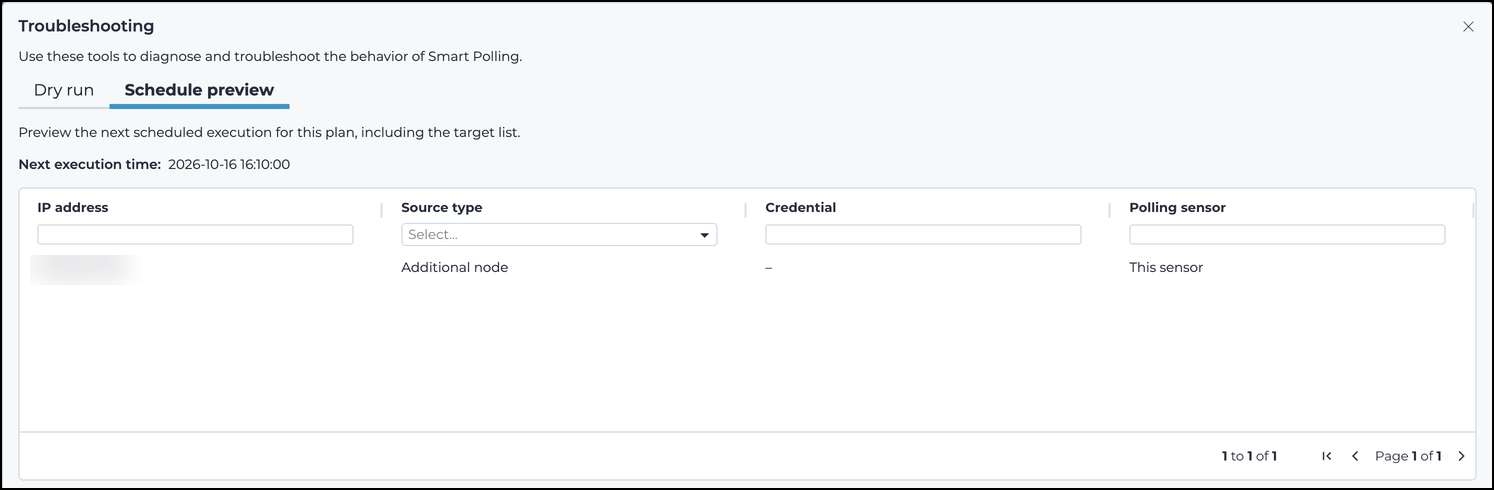
| Column label | Description |
|---|---|
| IP address | The address of the polled device |
| Source type | The reason why this node is selected |
| Credential | The name of the credential used, if any |
| Polling sensor | The hostname of the sensor that will do the polling |
Procedure
-
In the top navigation bar, select
 > Smart Polling.
The Smart Polling page opens.
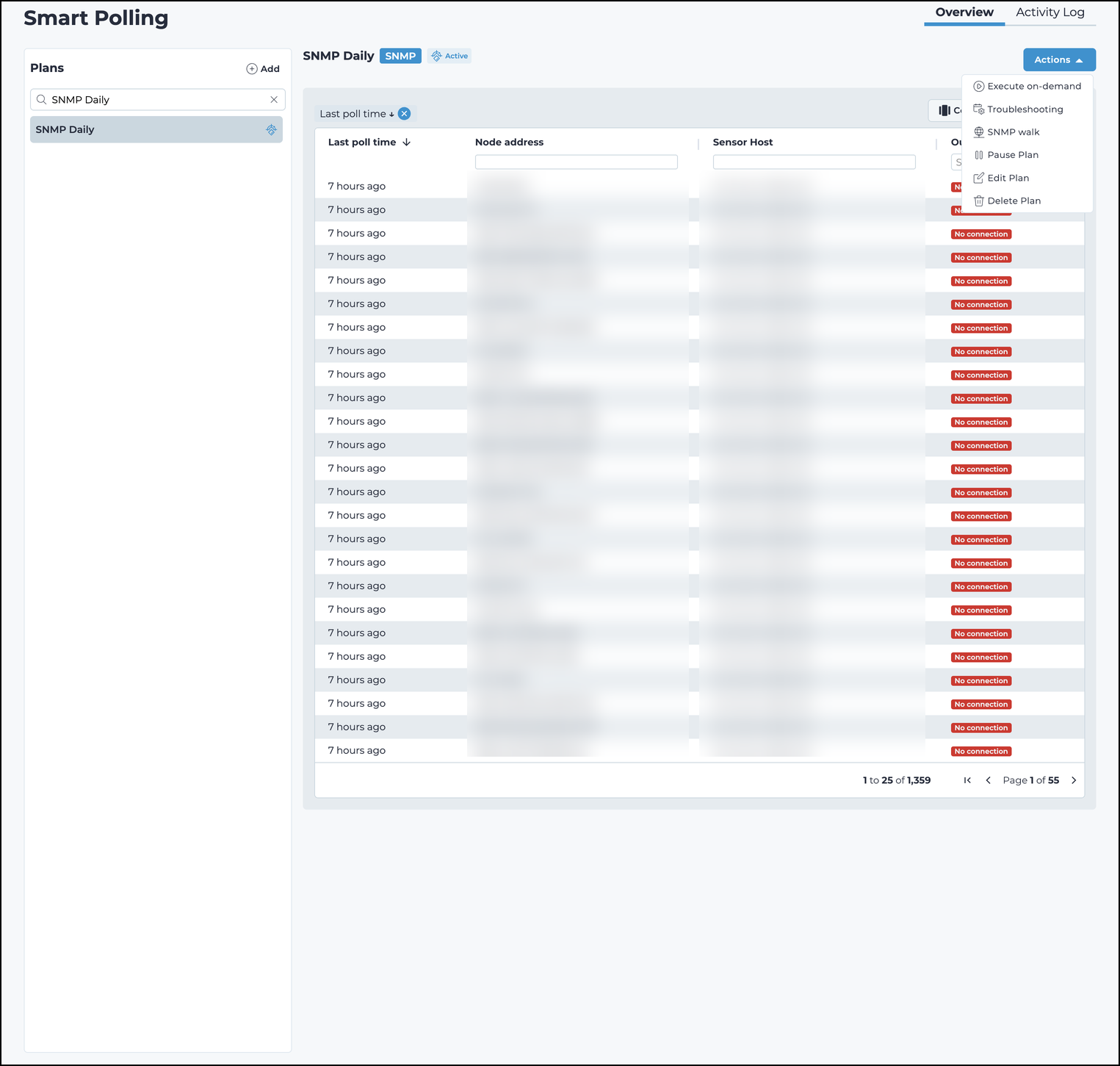
- From the list of Smart Polling plans on the left, select the applicable plan.
-
In the top right corner, select Actions.
-
Select Troubleshooting.
A dialog shows.
-
From the tab bar, choose Schedule preview.
The tool shows the next execution details and the list of nodes.