
Run a dry run
Perform a single polling of a node without recording data. Use this tool to test a plan against a specific internet protocol (IP) address without changing the node data or the activity log.
About this task
Procedure
-
In the top navigation bar, select
 > Smart Polling.
The Smart Polling page opens.
- From the list of Smart Polling plans on the left, select the applicable plan.
-
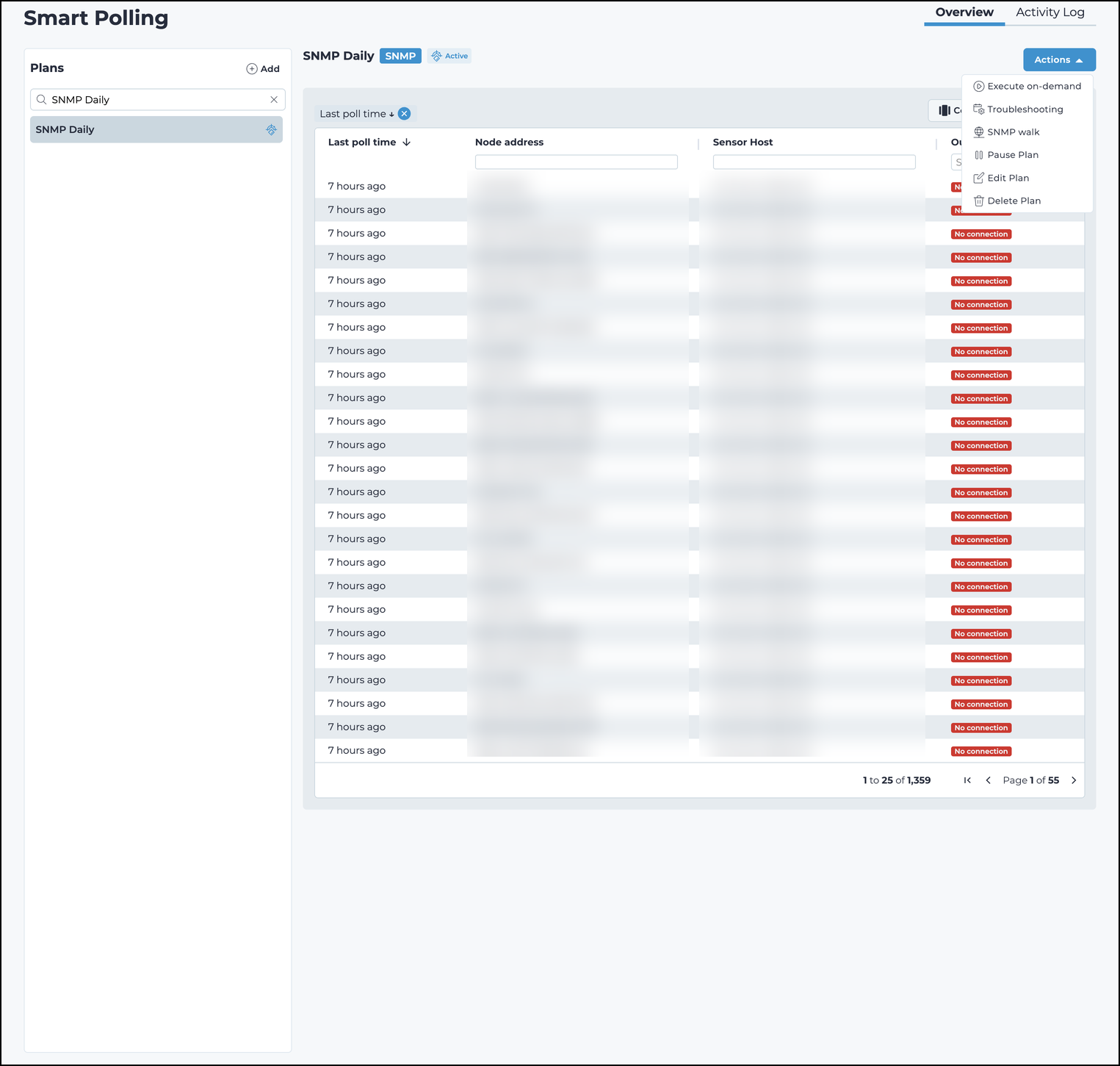
In the top right corner, select Actions.
-
Select Troubleshooting.
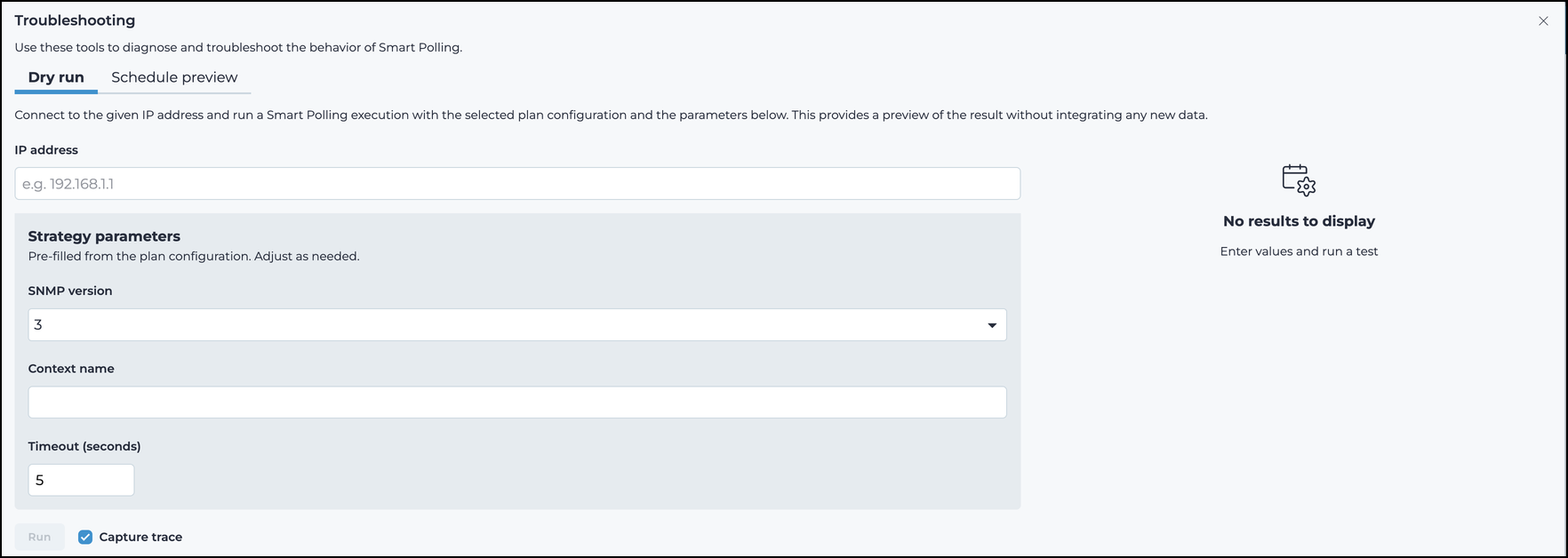
A dialog shows.
-
Enter the IP address of the device to poll in the IP address
input.
- Optional:
Change the parameters used in this execution.
The changes to these parameters will not be saved in the plan configuration.
- Optional: Select the Capture trace box to download a file for this poll.
-
Select Run.
The node is polled and the results pane updates.
- On the right side, inspect the results.
- Optional: Select Download trace to get the capture file.