
Run an SNMP walk
Run a full or partial simple network management protocol (SNMP) walk on a monitored device to get detailed information about it, and download the result in textual format.
About this task
Procedure
-
In the top navigation bar, select
 > Smart Polling.
The Smart Polling page opens.
- From the list of Smart Polling plans on the left, select the applicable SNMP plan.
-
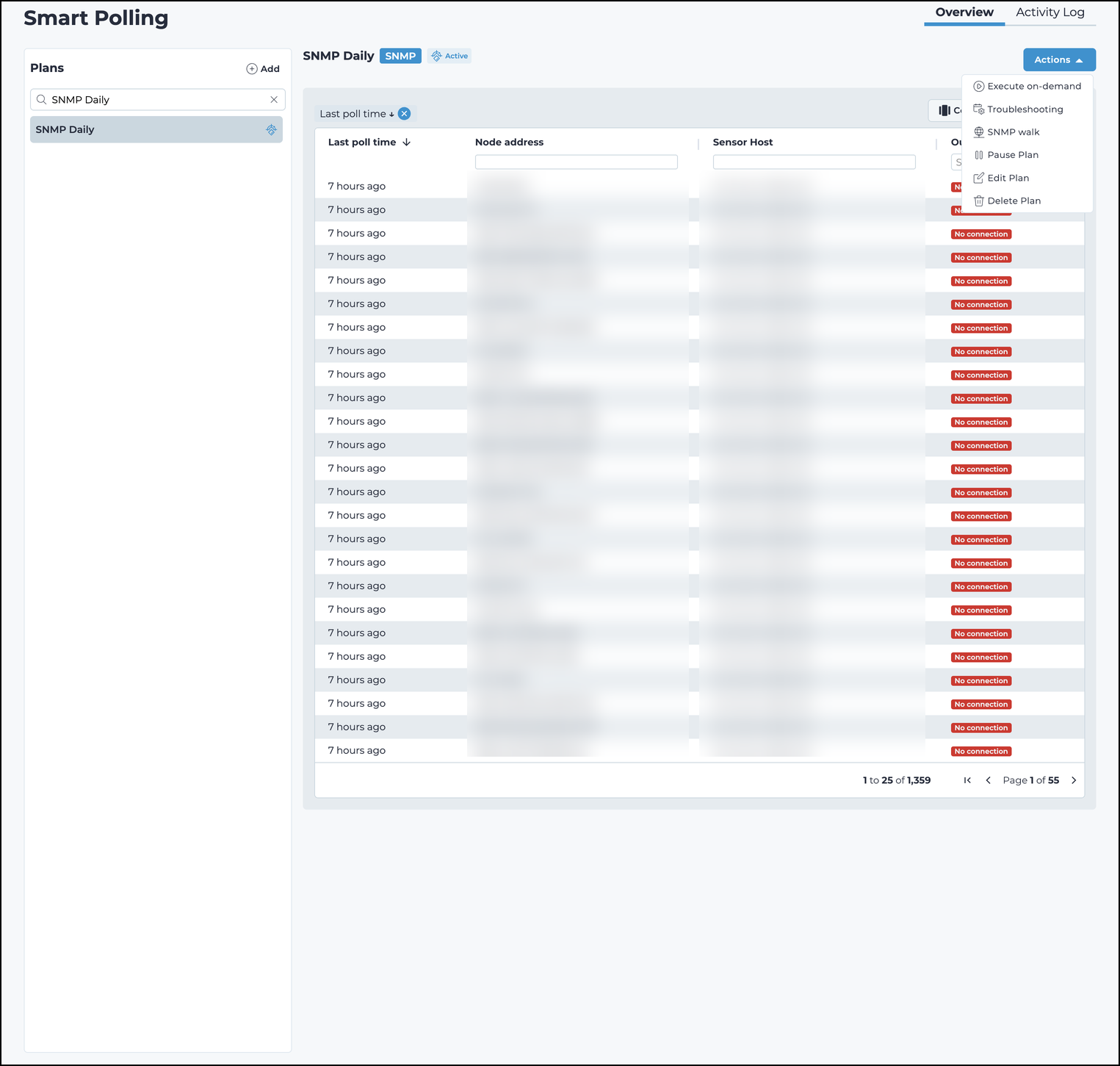
In the top right corner, select Actions.
-
Select SNMP walk.
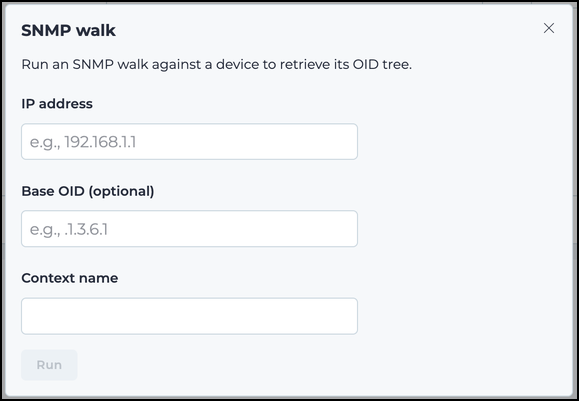
A dialog shows.
-
Enter the internet protocol (IP) address of the applicable node.
- Optional:
Enter a base object identifier (OID).
By default, the root OID is used.
- Optional:
Change the community or context string.
By default, the setting of the plan is used.
-
Select Run.
The node is polled.
- When the results are available, select Download to get the textual file containing the results.