
Overview
Learn how Smart Polling plans are displayed, managed, and executed in Guardian. It covers plan statuses, how to add or search for plans, and how to interpret result data. Icons and table fields provide insight into device polling outcomes and plan performance.
Plans
The Plans section shows a list of all the Smart Polling plans that have been added for your organization. The icons show the current status of the plan:
 : Active
 : Paused
Add button
The  icon lets you add a new Smart Polling
plan.
Search field
The search field lets you easily find a specific Smart Polling plan.
Results
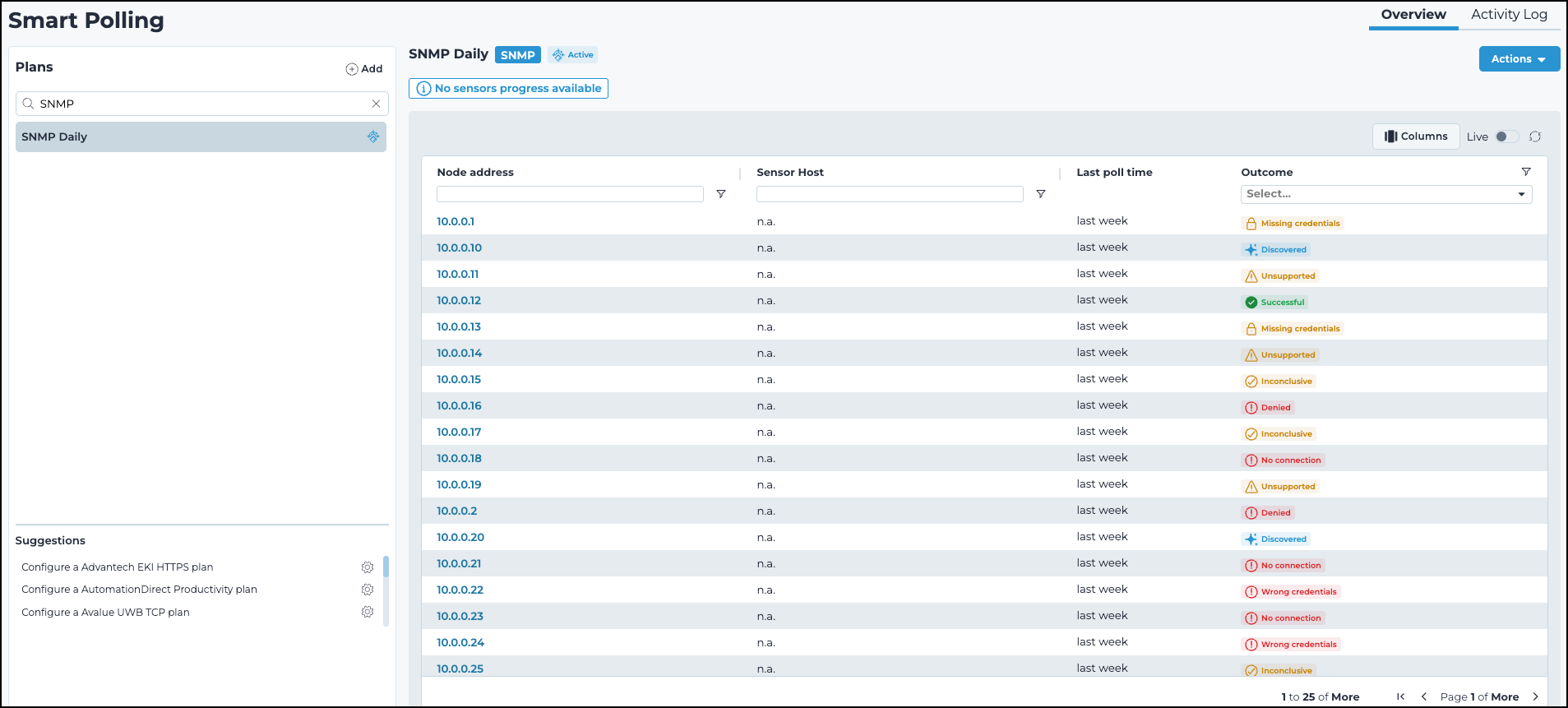
After a Smart Polling plan runs, its results show on the plan pages. When you select a specific plan, the table shows the:
- Status of the plan through the ACTIVE | INACTIVE indicator
- Result of the last polling of each node polled within the last two weeks
The table columns show:
- Node address: The internet protocol (IP) address of the node that was detected
- Sensor Host: The name of the sensor
- Last poll time: The time since the last execution of the plan for that node
- Outcome: The result of the last execution of the plan,
which can be:
- Successful: Smart Polling was able to poll the host and enrich the corresponding asset
- No connection: Verify that the device is up, its services are running, that the sensor has a route to that host and no firewall is blocking the connection
- Missing credentials: Add the credentials to the Credentials Manager
- Wrong credentials: Update the credentials in the Credentials Manager
- Inconclusive: This device is unsupported or only partly supported by Smart Polling
- Unsupported: This strategy is not supported by the sensor that tried to poll the device
- Queued: The sensor has not yet picked up the node for execution
- Denied: The node lies in a subnet that Smart Polling does not have the permission to reach
For more details about the additional information that Smart Polling can provide, see Smart Polling results.