
Add a Smart Polling plan that requires credentials
Create a Smart Polling plan in Guardian that uses a strategy that requires credentials. Choose specific or all credentials, configure a schedule, and complete the setup.
Before you begin
About this task
Use this process to create a Smart Polling plan that targets systems requiring authentication. This method lets Guardian access and collect data from sources that need credentials. You can configure the schedule of the plan to suit your operational needs.
Procedure
-
In the top navigation bar, select
 > Smart Polling.
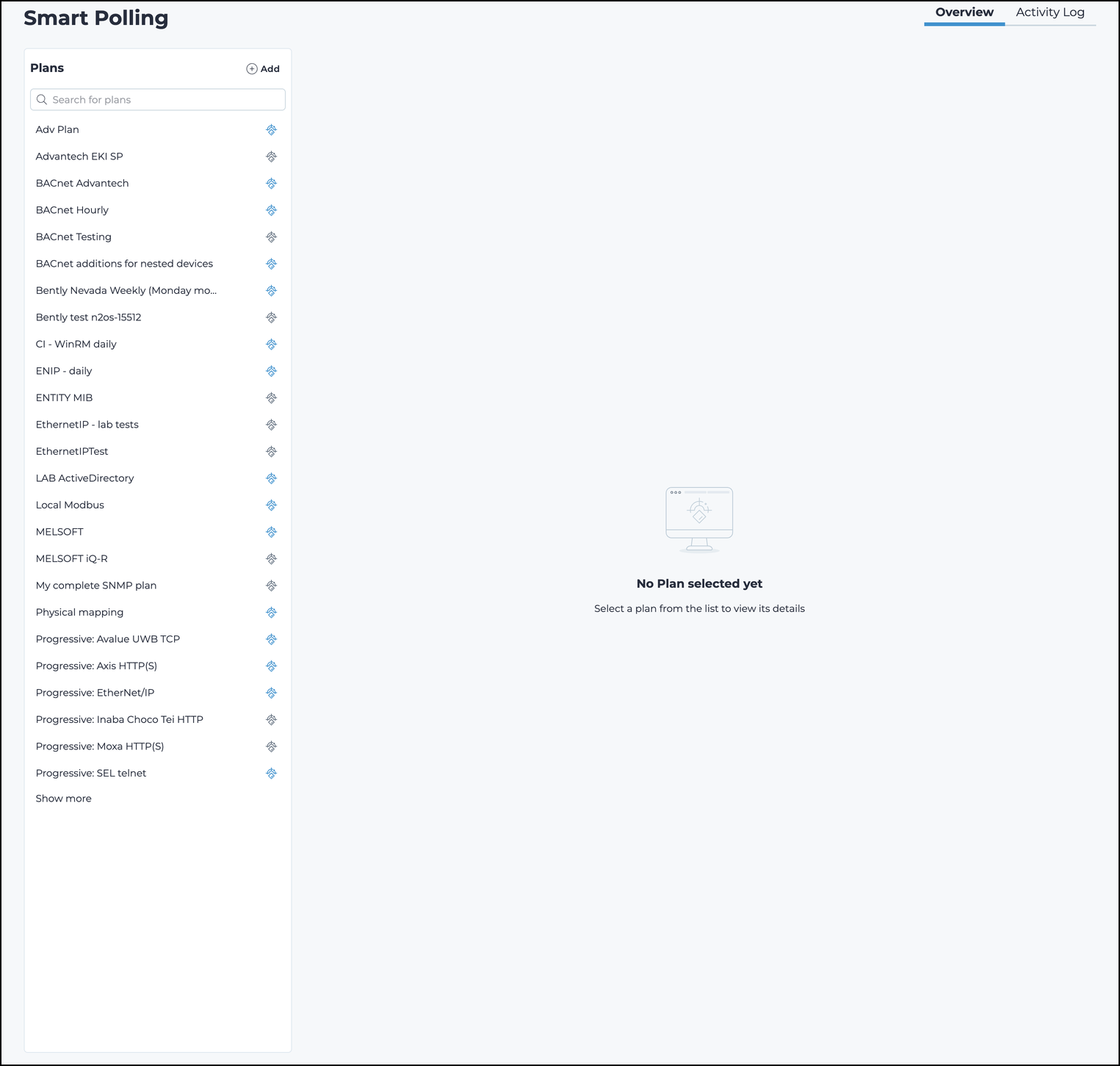
The Smart Polling page opens.
- If the welcome page shows, select Go to the Smart Polling page.
-
On the Smart Polling page, select the
 icon.
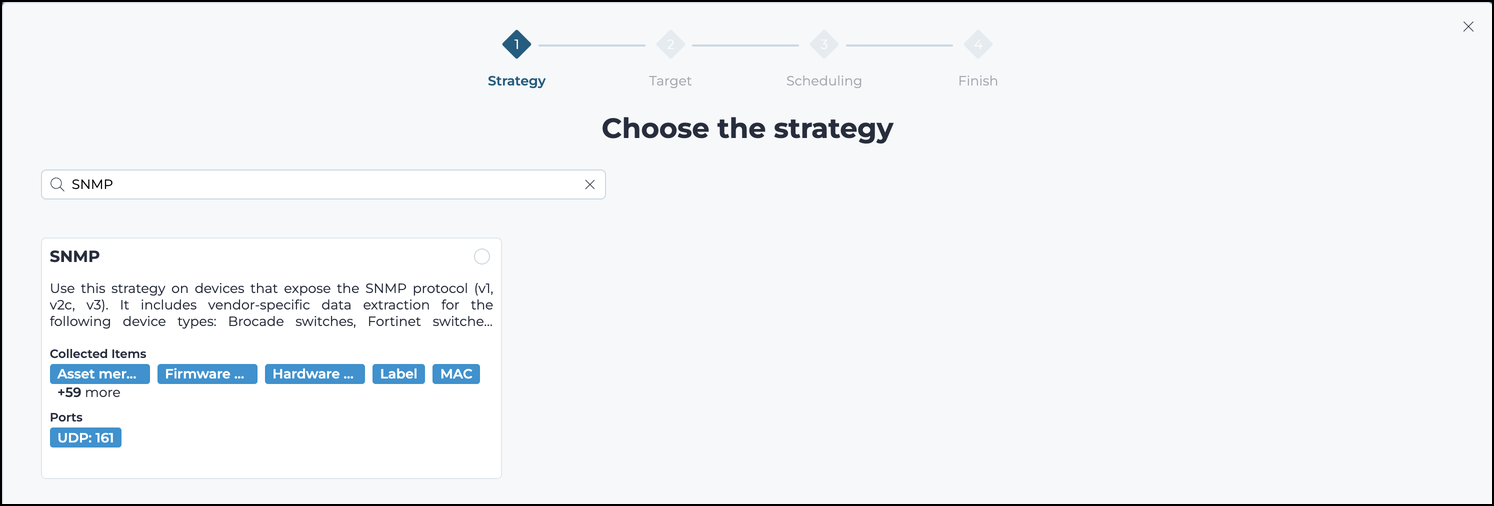
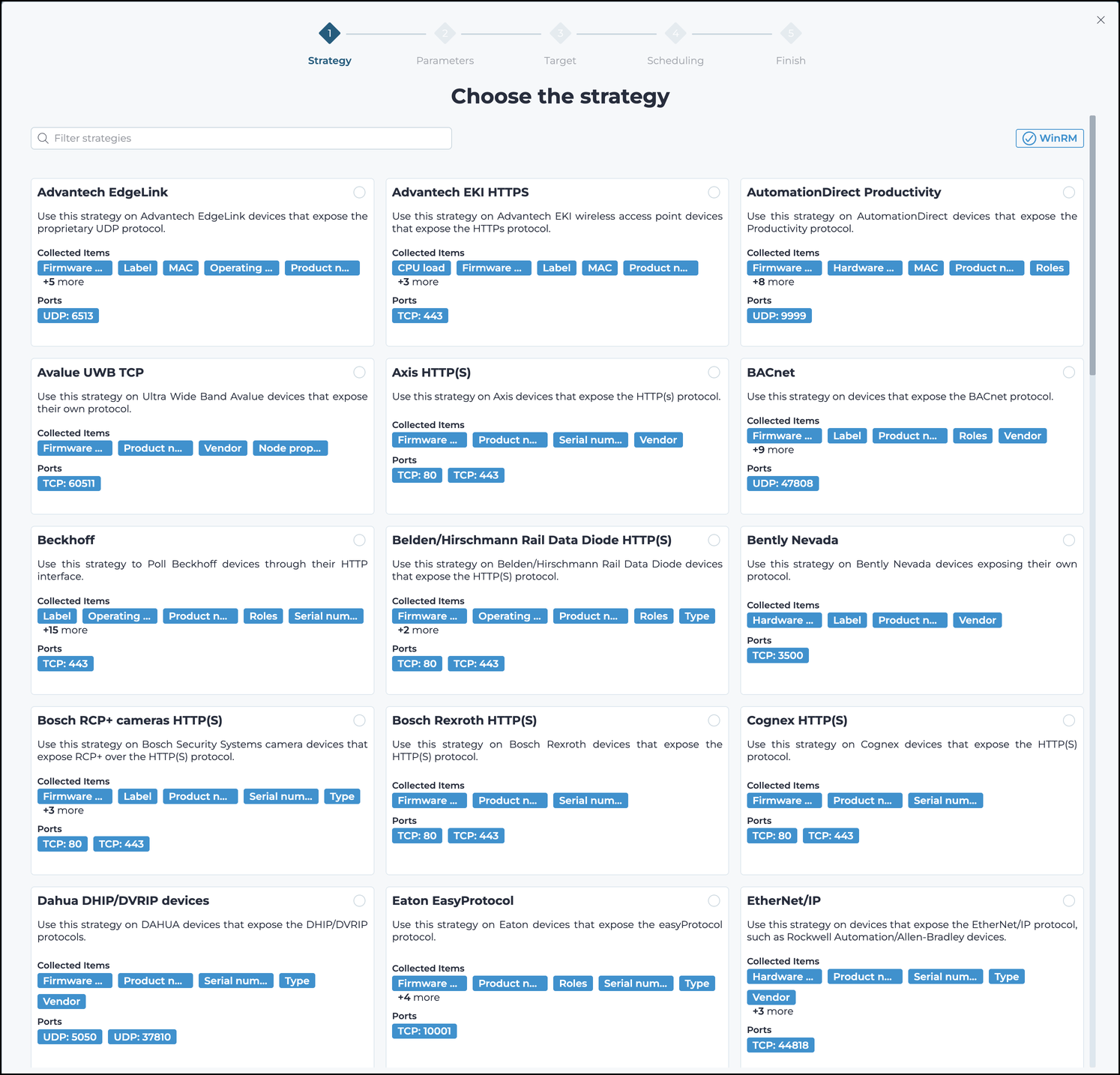
The Choose the Strategy page opens. - Optional:
To find the correct strategy, enter text in the Filter
strategies field.
-
In the top right corner of the relevant strategy, select the radio
button.
-
Select Next.
Either the Parameters page or the Target page will show.
- Optional: If the Parameters page shows, enter the necessary details.
-
Select Next.
The Target page will show.
- From the Available credentials panel on the left, select the applicable credential.
-
Choose an option:
- To select one credential, select the
 icon.
- To select all the available credentials, select the
 icon.
- To select one credential, select the
-
Select Next.
The Scheduling page will show.
-
On the Scheduling page, under Recurrence,
select the granularity of the scheduling:
- Hourly
- Daily
- Weekly
- Monthly
- Set the time at which the Smart Polling plan will be executed. The time is set in .
-
Select Next.
The Finish page will show.
- Optional: In the Plan name field, edit the name of the plan.
- Select Confirm.
- Select Done.