
Manage the Arc dependencies of a sensor
You can install, uninstall, update, enable, or disable the dependencies of an Arc sensor from the Sensors page.
Before you begin
About this task
Procedure
-
In the top navigation bar, select Sensors.
The Sensors page opens.
- From the list, select the applicable Arc sensor.
-
In the details pane, select the Manage Arc dependencies icon.
The Manage Arc dependencies dialog shows.
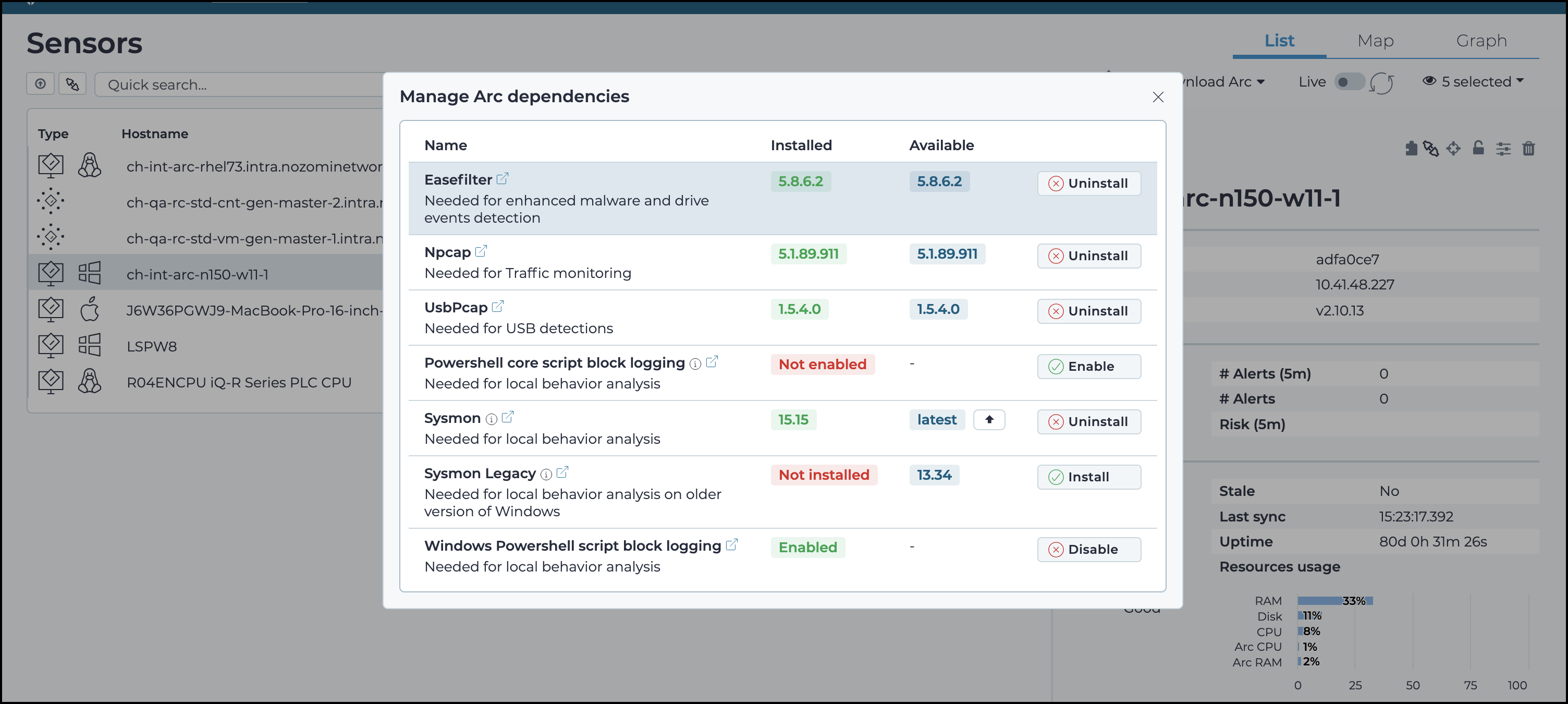
-
For the applicable dependency, select the action to apply.
You can select Install, Uninstall, Enable, or Disable. To update a dependency, select the up arrow next to the available version.A confirmation dialog shows.
- Optional:
Select the Reboot the sensor if the operation requires it
checkbox.
Note:If this operation requires a reboot, the sensor restarts automatically to complete it.
-
Select Confirm.
The Request queued result shows. The sensor runs the action the next time it connects.