
Update service contents
The Update service contents page lets you manage how the appliance downloads Threat Intelligence, Asset Intelligence, and Arc content, to reduce bandwidth consumption on slow or unstable network connections.
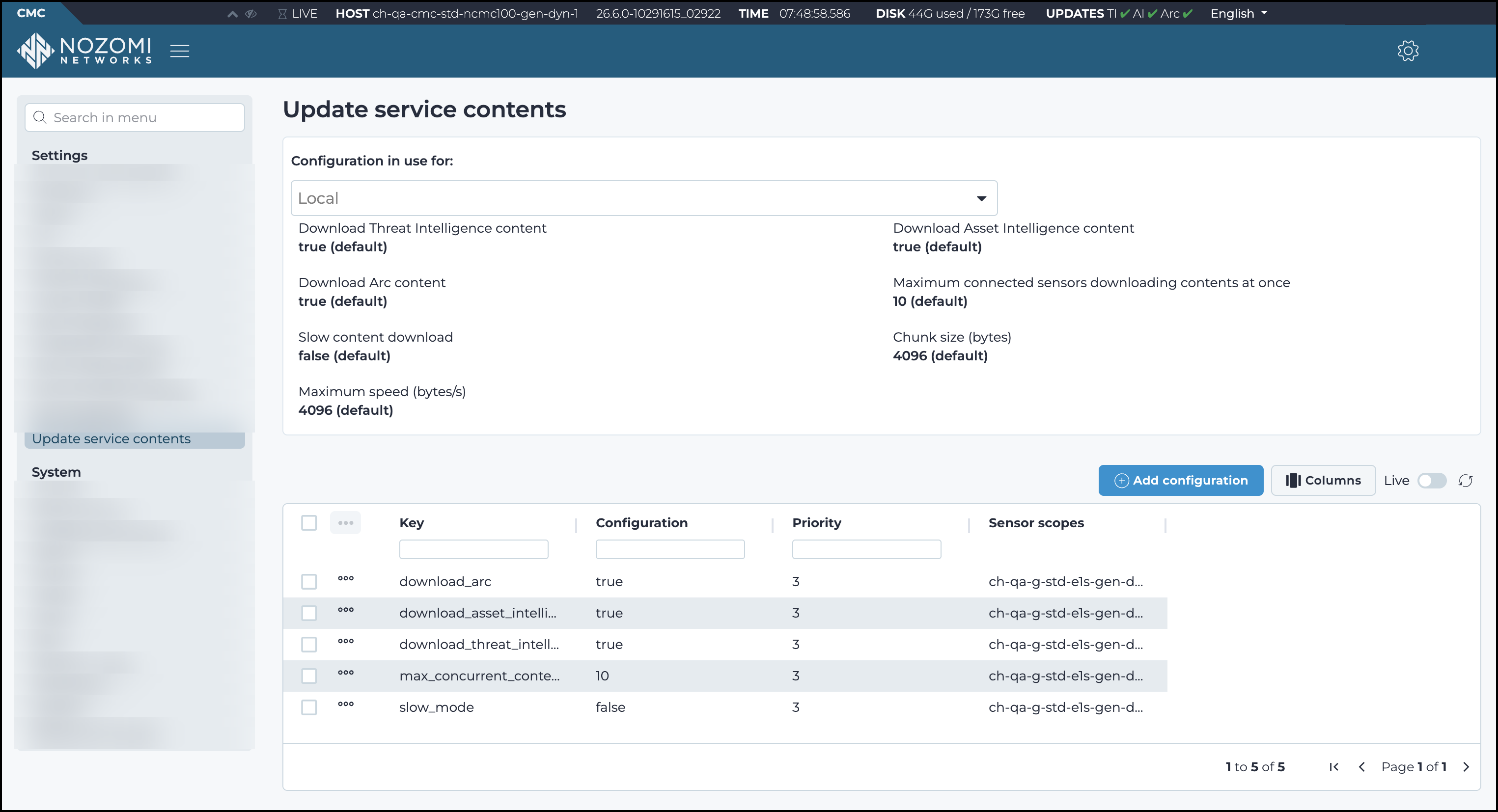
The page has these sections:
- Configuration in use: The configuration currently applied to the appliance. On a Central Management Console (CMC), select the appliance in the Configuration in use for list. When no appliance is selected, the configuration in use on the current machine, labeled Local, shows
- Configurations table: The custom configurations that override the default values for the appliances in their scopes. Custom configurations are managed from a CMC. For more details, see Manage update service contents configurations
The configuration has these settings:
- Download Threat Intelligence content, Download Asset Intelligence content, and Download Arc content: Enable or disable the download of each type of content. Disable a type of content when the corresponding functionality is not in use, to prevent unnecessary data from being transferred to the appliance
- Slow content download: Enable a slower, more controlled download
strategy. When it is enabled, these settings are available:
- Maximum speed (bytes/s): Limits the bandwidth used by the update service, preventing content downloads from saturating the available network connection
- Chunk size (bytes): Controls the size of individual content chunks. Instead of downloading a large content package as a single transfer, the content is split into smaller chunks, and the download process briefly releases bandwidth between chunks. Splitting content into smaller chunks also improves resilience on unstable connections: if the connection is interrupted, only the affected chunk needs to be retransmitted
- Maximum connected sensors downloading contents at once: Controls how many downstream appliances that use the current appliance as an upstream source are allowed to download content concurrently. Limiting the number of simultaneous downloads reduces the workload on the upstream appliance
- Priority: The priority of a custom configuration. When several configurations apply to the same appliance, the one with the lowest priority value applies. If they have the same priority, the one created first applies
The settings have these default values and valid ranges:
- Download Threat Intelligence content, Download Asset Intelligence content, and Download Arc content: Enabled by default
- Slow content download: Disabled by default
- Maximum speed (bytes/s): Default 4096. Valid values range from 1024 to 1073741824
- Chunk size (bytes): Default 4096. Valid values range from 128 to 10485760
- Maximum connected sensors downloading contents at once: Default 10. Valid values range from 1 to 100
- Priority: Default 3. Valid values range from -100 to 100
Note:
The available contents depend on the licenses installed on the machine.
Note:
Configurations pushed by a parent CMC
are read-only on the appliances it manages. They cannot be edited or deleted
there.