
Configure an Arc sensor
It is possible to configure an individual Arc sensor directly from the Sensors details page for the related sensor.
About this task
Procedure
-
In the top navigation bar, select Sensors.
The Sensors page opens.
-
From the list, select the applicable Arc sensor.
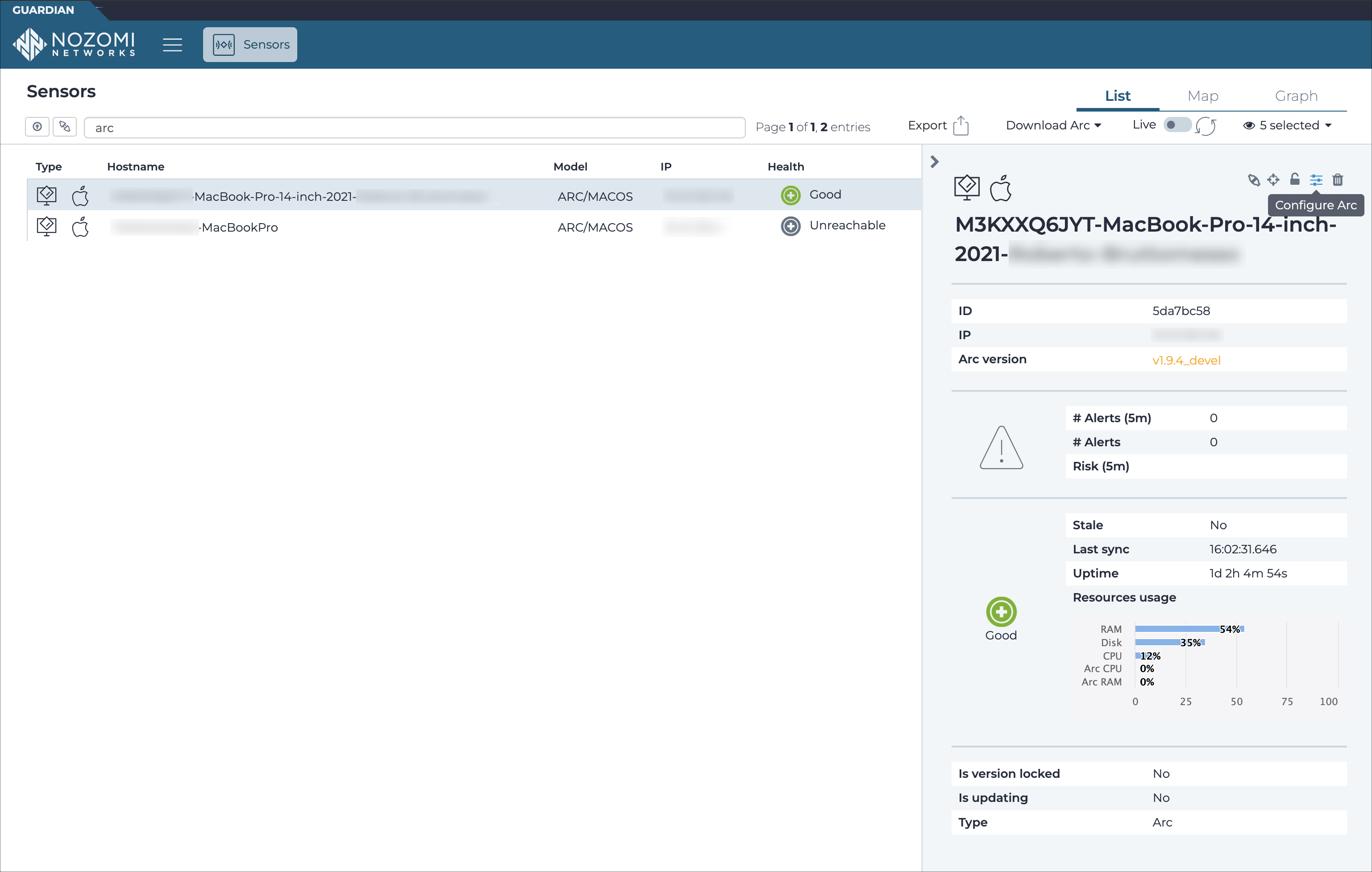
-
If the Arc sensor is not yet allowed, in the top right section, select the
 icon to allow the sensor.
Note:This step is required only when the Arc sensor connects to Guardian. It is not required when the Arc sensor connects to Vantage.A dialog shows. To confirm, select Yes.
-
In the top right section, select the
 icon.
A dialog shows.
-
In the Upstream page, choose the settings that you
want.
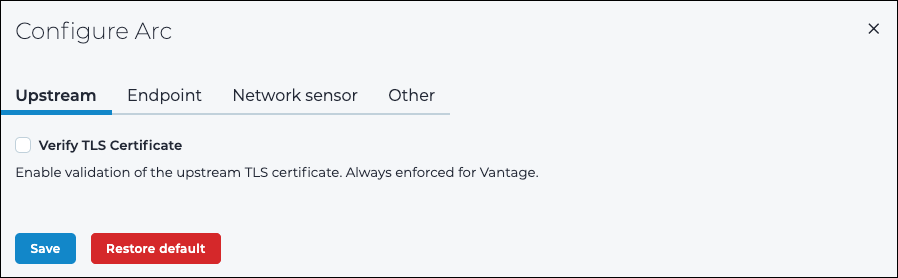
- Select Save.
-
Select Endpoint.
The Endpoint page shows.
-
In the Endpoint page, choose the settings that you
want.
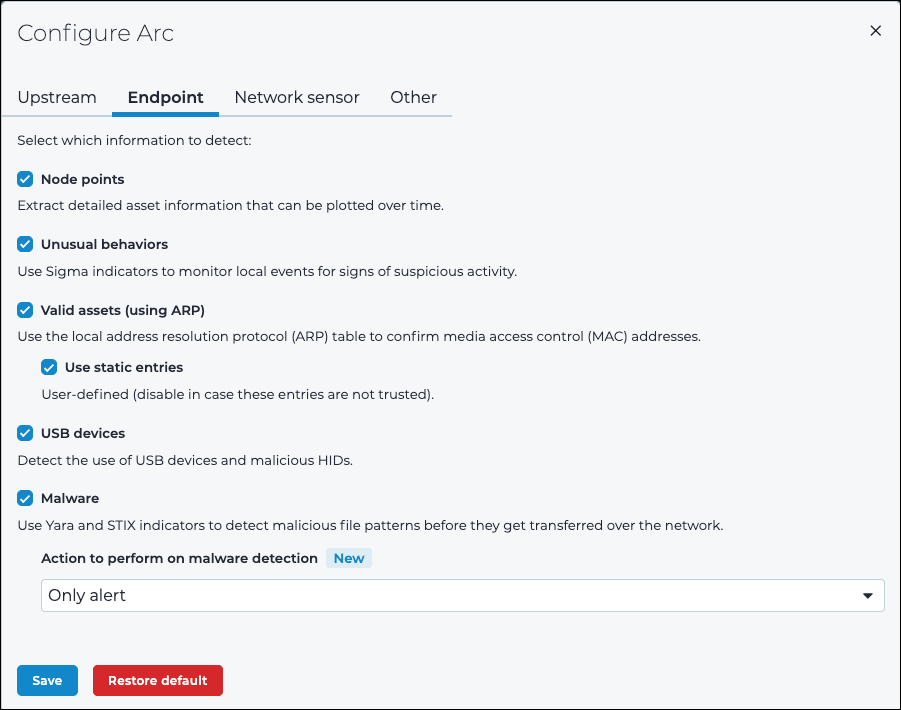
- Select Save.
-
Select Network sensor.
The Network sensor page shows.
-
In the Network sensor page, choose the settings that you
want.
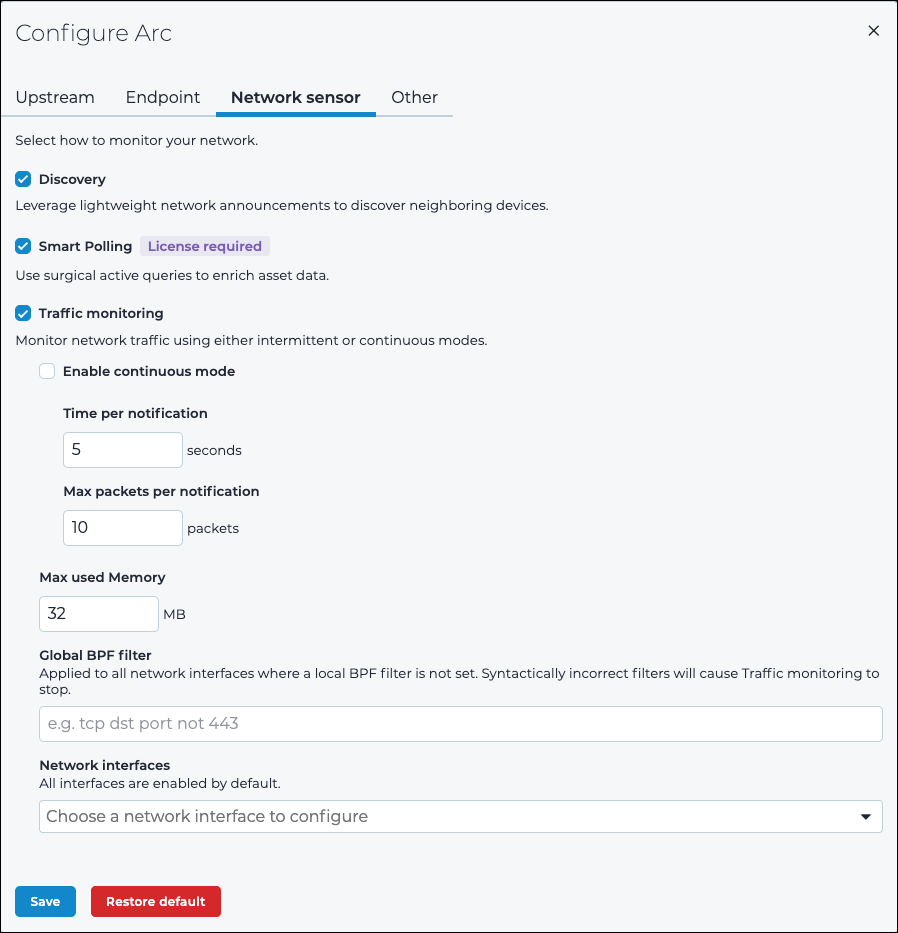
- Select Save.
-
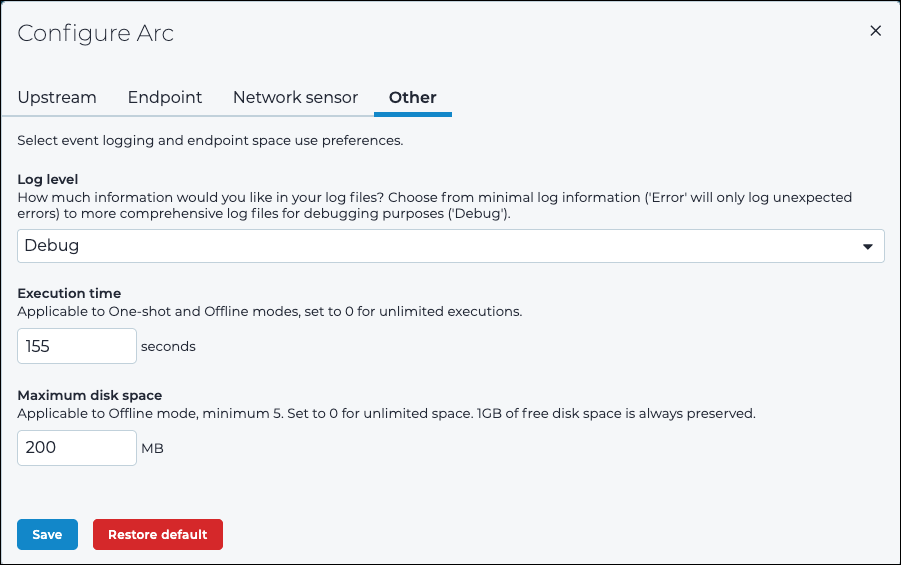
Select Other.
The Other page shows.
-
In the Other page, choose the settings that you
want.
- Select Save.